RV Internet: What to Look For & Top Picks
# RV Internet: What to Look For & Top Picks
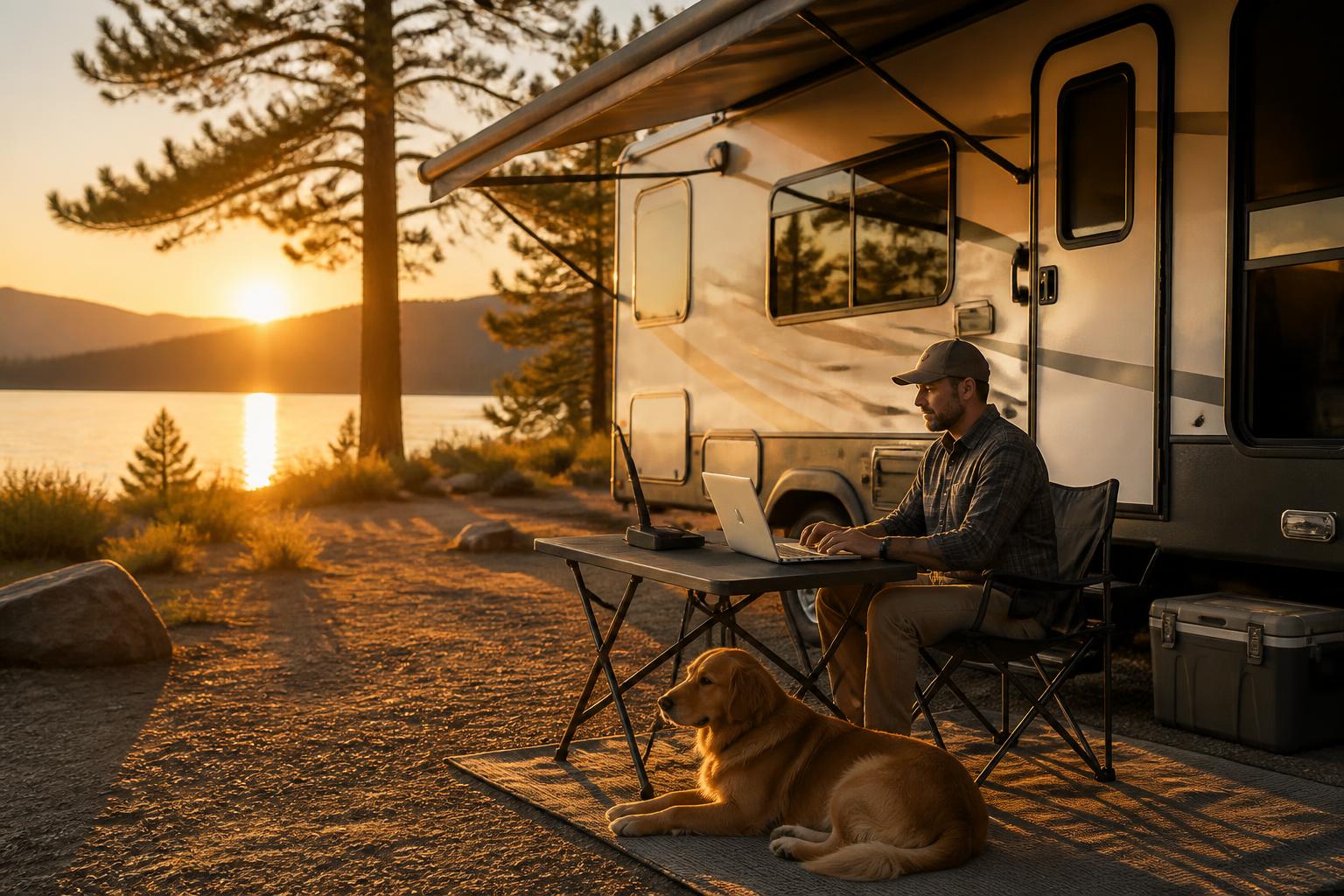
The best internet for your RV isn’t one-size-fits-all—it depends on where you park, how much data you burn, and whether you can afford to drop a video call mid-meeting. Full-timers and remote workers need Starlink paired with a cellular failover. Weekenders who stick to developed campgrounds can save money with a premium hotspot and a signal booster. Occasional campers who only check email and stream light content can get by with campground Wi‑Fi and a cheap phone hotspot as backup. Here’s how to match the right setup to your actual travel pattern.

## Quick answer
**Full‑time remote workers and digital nomads** should buy Starlink (Roam plan) and keep a cheap Visible‑by‑Verizon hotspot as backup. **Frequent park RVers** who stay at KOAs, state parks, or private resorts get the best value from a cellular hotspot (Netgear Nighthawk M6 or Pepwave MAX BR1 Mini) plus a WeBoost Drive Reach booster. **Dry‑campers in deep woods or canyons** need Starlink—cell signals won’t reach. **Light users** (email, news, occasional Netflix) can rely on campground Wi‑Fi with a $15‑per‑month cell plan for when the park network clogs.

No single setup works everywhere. The decision comes down to where you park, how much data you consume, and whether you can live with a weak signal for days while traveling.
## Comparison framework
| Option | Best for | Typical speed | Data cap | Monthly cost (equipment) | Power draw |
|——–|———-|—————|———-|————————–|————|
| Starlink (Roam) | Full‑time boondockers, remote work | 25–100 Mbps | Unlimited (deprioritized after 1 TB) | $120–$150/mo + $599 dish | ~75W continuous |
| Cellular hotspot (Nighthawk M6) | Park users, semi‑frequent travel | 10–50 Mbps (with strong signal) | 50–100 GB typical | $40–$90/mo + $200–$400 hotspot | 5–10W |
| Cellular hotspot + WeBoost Drive Reach | Park users in fringe cell areas | 5–35 Mbps (boosted) | Same as above | Add $400–$600 booster | 10–15W combined |
| Campground Wi‑Fi + backup hotspot | Light email/social, short stays | 2–20 Mbps (congested) | Usually free or included | $0 extra + small hotspot plan | 0W (uses park power) |
Here’s the practical implication: If you need more than 100 GB per month, or you frequently boondock more than 10 miles from a cell tower, budget for Starlink. If you stay within 10 miles of towns with decent cell coverage and use under 100 GB, a cellular hotspot will save you $600 upfront and about $80 per month.
## Best‑fit picks by use case
### Full‑time workers and digital nomads
**Pick:** Starlink (Roam plan) plus a cellular hotspot as fallback.
**Why this works:** Starlink handles video calls, large file uploads, and streaming even in remote spots like Quartzsite, AZ, or the Alaskan Highway. When trees block the dish, a cheap Visible‑by‑Verizon hotspot ($25/mo, deprioritized after 50 GB) keeps you alive. Many full‑timers carry both: Starlink for primary work, a hotspot for backup when the dish can’t see the sky.
**Verification step you need to do:** Before permanently mounting the dish, run the Starlink app’s obstruction viewer. Place the dish at the intended spot, open the app, and let it scan for 20 seconds. If the app reports “obstructions found”, you need a higher mount or a different spot. The dish needs a clear 100° cone above it—trees and roof edges cause micro‑dropouts that kill video calls.
**Expert tip:** Mount the dish on a flagpole adapter or telescopic pole so you can tilt it past tree gaps. Common mistake: installing it flat on the roof. Tilt the dish 10–20° to avoid dead zone gaps caused by nearby branches or the RV itself. Tip two: buy a 12V DC power supply for the dish (the included wall wart only works on shore power or inverter). Tip three: check your monthly data usage before committing—if you use over 500 GB, budget for the Roam plan’s 1 TB deprioritization threshold or expect slower speeds during peak hours.
### Frequent park RVers (KOA, State Parks, private parks)
**Pick:** Cellular hotspot (Netgear Nighthawk M6 or Pepwave MAX BR1 Mini) plus a WeBoost Drive Reach for weak signal days.
**Why this works:** Most improved campgrounds now have decent LTE/5G, especially parks near cities. Yosemite Pines RV Resort has good Verizon; Fort Wilderness at Disney has strong T‑Mobile. The booster lifts 1‑bar spots to 2–3 bars, enough for streaming and web browsing.
**Expert tip:** Use a dedicated hotspot with external antenna ports—don’t rely on a phone hotspot. Phones overheat after an hour of streaming and drain your battery. Connect the WeBoost antenna to the hotspot via a TS‑9 pigtail adapter. **Common mistake to avoid:** Placing the booster antenna too low on the RV—bench level picks up vehicle engine noise and reduces gain. You need the antenna on the roof or at least 8 feet off the ground.
Tip two: check campground reviews specifically for “cell signal” and “Wi‑Fi speed” before booking. Parks with fiber backhaul (rare, but some KOAs and Jellystone parks have it) are worth the extra site fee. Tip three: buy a hotspot with carrier aggregation support—older models like the Nighthawk M1 can’t combine multiple LTE bands, giving you 5–10 Mbps where a newer M6 can hit 30–50 Mbps.
### Occasional campers and retirees
**Pick:** Campground Wi‑Fi (most parks offer free or paid tier) plus a cheap phone‑based hotspot as backup.

**Why this works:** If you only check email, read news, and stream a few hours of Netflix, campground Wi‑Fi is usually good enough. Parks like Rocky Mountain Park’s Moraine Campground and Great Smoky Mountains’ Elkmont have decent free Wi‑Fi near the office.
**Expert tip:** Pre‑download movies and maps before arriving. Use a service like Visible ($25/mo unlimited but deprioritized) or Mint Mobile ($15/mo for 4 GB) as your backup—not a full‑priced Verizon or AT&T plan you’ll rarely use. **Common mistake to avoid:** Assuming “free Wi‑Fi” means usable Wi‑Fi. Check recent Google Maps or Campendium reviews for complaints about internet speed. If multiple reviews mention “can’t stream”, bring your cellular backup. Tip two: if you do rely on campground Wi‑Fi, bring a USB Wi‑Fi adapter with a high‑gain antenna for your laptop to catch weak signals from the office.
## Trade‑offs to know
### Cost and commitment: when Starlink is a bad buy
Starlink’s $599 dish and $120–$150 monthly fee is hard to justify if you only use it four weekends a year. The math: three years of Starlink costs roughly $5,100. Three years of a cellular hotspot with a 100 GB plan costs about $2,400 plus $300 for the hotspot. If you never boondock more than 10 miles from a town, you’re paying $2,400 extra for coverage you don’t need.
### Power consumption: the hidden killer on solar
A 100Ah lithium battery holds about 1,280Wh of usable energy (assuming you don’t drain it below 20%). Running Starlink (75W) for 8 hours eats 600Wh—about half your usable battery. Add a laptop, lights, and refrigerator, and you’re below 20% before midnight. Cellular hotspots (5–10W) draw 40–80Wh for the same 8 hours—barely a blip. If you boondock off solar, this single decision determines whether you can work remotely or need to start a generator every evening.
### Coverage gaps: what the marketing doesn’t tell you
– **Starlink:** Needs a clear 100° cone above the dish. Deep forest, narrow canyon, or heavy foliage can kill it entirely. Snow and ice can temporarily obstruct. You cannot use it under a tree canopy—period.
– **Cellular:** Even a WeBoost won’t help if there’s no cell tower within 10–15 miles. Many US Forest Service dispersed sites in Montana, Idaho, and Colorado have zero cell signal regardless of booster. Check the FCC coverage maps or use CellMapper before you go. A concrete rule: if the nearest paved road is more than 5 miles away, assume no cellular.
– **Campground Wi‑Fi:** Worse than cellular in most developed parks. Reliable only at very small parks with fiber backhaul—and those are rare. Example: Grand Canyon’s Trailer Village pays for cable internet that shares 50 Mbps across 300+ sites. You’ll get 2–3 Mbps during peak hours.
### Data caps and throttling: the real limit
Starlink’s “unlimited” plan puts you in a deprioritized queue after 1 TB per month—still usable but slower during peak evenings. Most cellular plans (Visible, T‑Mobile Home Internet, AT&T Fixed Wireless) have hard caps of 30–100 GB before heavy throttling down to 1–5 Mbps. If you work from your RV and budget for at least 300 GB per month, you’re squarely in Starlink territory. Check your current home internet usage—if it’s above 200 GB, do not try to save money with a cellular hotspot. You’ll hit the cap in the first week and spend the rest of the month on throttled speeds that can’t handle a Zoom call.
### Decision aid: 5‑point fit check
Before buying any equipment, run through this checklist. If you answer “yes” to 3 or more, Starlink is your best bet. Otherwise, a cellular solution will save you money and headache.
1. **Do I work remotely and need video calls or large file uploads?** (Yes = need reliability, heavy data)
2. **Do I travel to remote, sparsely populated areas (national forests, BLM land, Alaska)?** (Yes = cellular likely absent)
3. **Do I park under trees or in canyons?** (Yes = Starlink may struggle; cellular might still work if towers are near)
4. **Am I willing to spend $600 upfront and $150/mo for signal everywhere?** (Yes = Starlink, no = cellular)
5. **Do I stay in the same park for weeks on end with good cell data?** (Yes = cellular hotspot can be enough, save the money)
If you’re still on the fence, start with a cheap cellular hotspot and a portable booster. You can always upgrade to Starlink later. Many full‑timers carry both: Starlink for primary work, a hotspot for backup when the dish can’t see the sky.
## Related questions
**Can I use a regular home internet plan in my RV?**
Usually not. Plans like Xfinity or AT&T Fiber are tied to a fixed address and stop working once you leave the block. T‑Mobile Home Internet allows portable use but can be terminated if address checks show you’re always roaming. Best to get an explicitly mobile plan.
**Do I need a cellular router or just a phone hotspot?**
A dedicated hotspot (Nighthawk M6 or Pepwave) supports external antennas, stays cooler, and can be powered via USB‑C while providing Wi‑Fi to multiple devices. A phone hotspot works in a pinch but overheats after an hour of streaming and drains your phone battery.
**Can I boost campground Wi‑Fi?**
Results are mixed. A purpose‑built Wi‑Fi booster (Alfa AWUS036ACH with a high‑gain antenna) can grab weak signals from the campground office, but it won’t fix an overloaded connection shared by 50 campers. Boosting works best when the park’s internet is functional but your site is far from the router. For congested networks, your best bet is to fall back to cellular.
## Explore This Topic
– Back to [RV Living & Travel](/rv-living-travel-hub/)
Related guides in this cluster:
– [RV Storage: What to Look For & Top Picks](/rv-storage/)
– [Love’s RV Stops: What to Look For & Top Picks](/love-s-rv-stops/)
– [RV Hot Water Heater: What to Look For & Top Picks](/rv-hot-water-heater/)
– [Locking Hitch Pin: What to Look For & Top Picks](/locking-hitch-pin/)

Practical RV guides from an experienced owner. Motorhomes, travel trailers, truck campers — we have owned them, maintained them, and written the guides we wish we had found when we started.